'''
Voltaat Learn (http://learn.voltaat.com)
Link to the full tutorial:
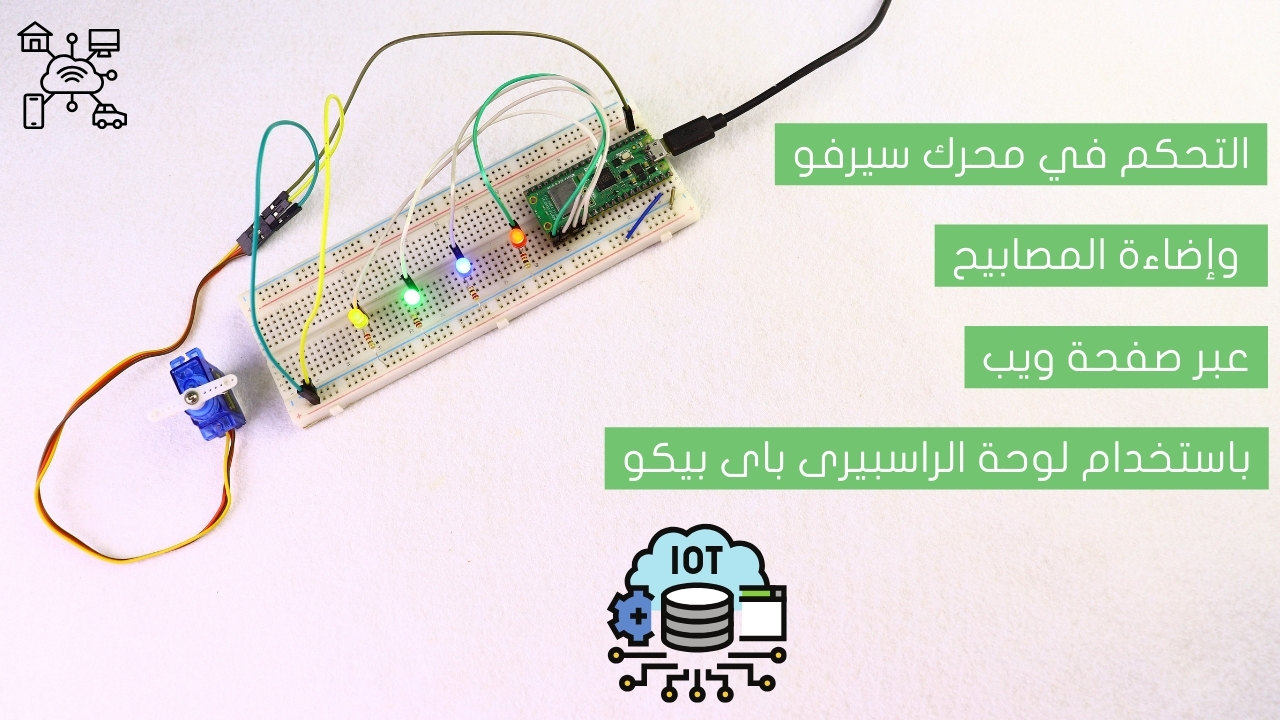
Tutorial: Controlling a servo motor and lamp lighting via a web page using a Raspberry Pi Pico board.
The function of the following script is to control a servo motor and switch a lamp on or off through
a web page using a Raspberry Pi Pico board. The board runs a web server that allows the user to send
commands from a browser. Based on these commands, the servo motor moves to the desired position and
the lamp is turned on or off accordingly.
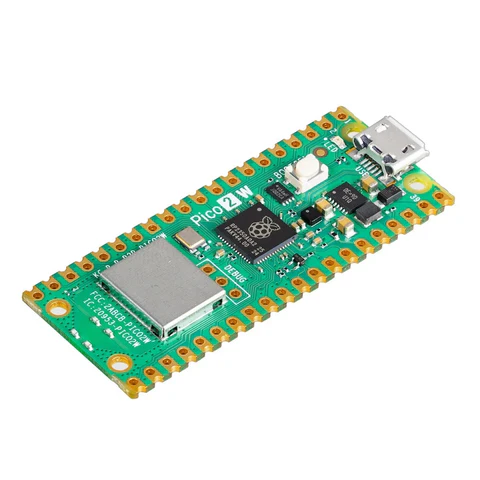
Note: You can use this sketch with any Raspberry Pi Pico.
'''
import network
import socket
import time
from time import sleep
from machine import Pin, PWM
import sys
# تأخير بدء التشغيل
for i in range(3, 0, -1):
print(f"⏳ {i}...")
time.sleep(1)
print("✅ جاري بدء تشغيل نظام التحكم...\n")
# إعدادات WiFi
ssid = 'VOLTAAT' # اسم شبكتك
password = '123456789' # كلمة مرور WiFi
# تهيئة المصابيح (مخرجات)
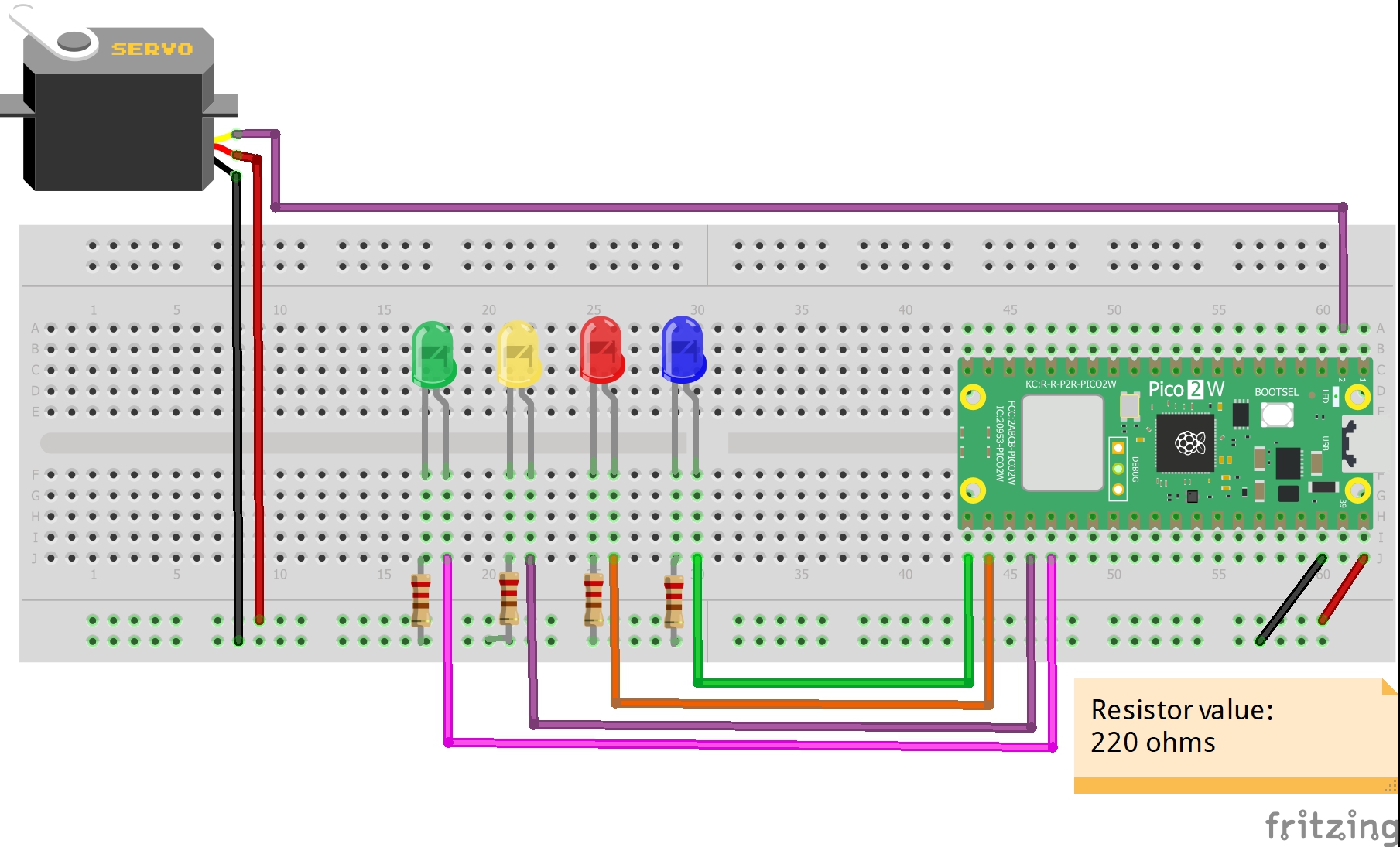
led_pins = [16, 17, 18, 19]
leds = [Pin(pin, Pin.OUT) for pin in led_pins]
led_states = [False, False, False, False] # حالة كل لمبة (False = إيقاف)
# تهيئة محرك السيرفو (على منفذ PWM)
servo_pin = PWM(Pin(1))
servo_pin.freq(50) # تردد 50 هرتز مناسب للسيرفو
servo_angle = 90 # زاية أولية (90 درجة)
# مؤشر LED مدمج للإشارة إلى حالة الاتصال
led = Pin("LED", Pin.OUT)
def set_servo_angle(angle):
"""ضبط زاوية السيرفو (0 إلى 180)"""
global servo_angle
angle = max(0, min(180, angle))
servo_angle = angle
duty_min = 1638 # 0.5ms / 20ms * 65535 ≈ 1638
duty_max = 8192 # 2.5ms / 20ms * 65535 ≈ 8192
duty = int(duty_min + (angle / 180) * (duty_max - duty_min))
servo_pin.duty_u16(duty)
# ضبط السيرفو على الزاوية الابتدائية
set_servo_angle(servo_angle)
def connect():
"""الاتصال بشبكة WiFi"""
wlan = network.WLAN(network.STA_IF)
wlan.active(True)
if wlan.isconnected():
wlan.disconnect()
print('جاري الاتصال بالشبكة...')
wlan.connect(ssid, password)
timeout = 0
while not wlan.isconnected() and timeout < 20:
led.toggle()
print('.', end='')
sleep(0.5)
timeout += 1
if wlan.isconnected():
led.on()
ip = wlan.ifconfig()[0]
print(f'\n✅ تم الاتصال بنجاح!')
print(f'🌐 عنوان IP: {ip}')
return ip
else:
print('\n❌ فشل الاتصال بالشبكة')
led.off()
return None
def open_socket(ip):
"""فتح socket للاتصالات"""
if ip is None:
return None
try:
address = (ip, 80)
connection = socket.socket(socket.AF_INET, socket.SOCK_STREAM)
connection.setsockopt(socket.SOL_SOCKET, socket.SO_REUSEADDR, 1)
connection.bind(address)
connection.listen(1)
print('🔓 تم فتح منفذ 80 للاتصالات')
return connection
except Exception as e:
print(f'❌ خطأ في فتح socket: {e}')
return None
def parse_request(request):
"""تحليل الطلب للبحث عن معاملات GET"""
try:
first_line = request.split('\n')[0]
parts = first_line.split(' ')
if len(parts) < 2:
return None
path = parts[1]
if '?' in path:
query = path.split('?')[1]
params = {}
for param in query.split('&'):
if '=' in param:
key, value = param.split('=')
params[key] = value
return params
except:
pass
return None
def webpage(ip):
"""قالب صفحة HTML مع أزرار التحكم والمؤشرات"""
servo_slider = f"""
<div class="control-group">
<h3>🛞 محرك السيرفو</h3>
<input type="range" min="0" max="180" value="{servo_angle}" class="slider" id="servo"
oninput="updateServo(this.value)" onchange="sendServo(this.value)">
<p>الزاوية: <span id="servoValue">{servo_angle}</span>°</p>
</div>
"""
leds_html = "<div class='leds-grid'>"
for i in range(4):
state = "ON" if led_states[i] else "OFF"
btn_class = "led-on" if led_states[i] else "led-off"
leds_html += f"""
<div class="led-card">
<h4>لمبة {i+1}</h4>
<div class="led-indicator {btn_class}">{state}</div>
<button class="toggle-btn" onclick="toggleLed({i})">تغيير</button>
</div>
"""
leds_html += "</div>"
html = f"""
<!DOCTYPE html>
<html dir="rtl">
<head>
<meta charset="UTF-8">
<meta name="viewport" content="width=device-width, initial-scale=1.0">
<meta http-equiv="refresh" content="2">
<title>نظام التحكم في المصابيح والسيرفو</title>
<style>
body {{
font-family: 'Segoe UI', Tahoma, Geneva, Verdana, sans-serif;
background: linear-gradient(135deg, #667eea 0%, #764ba2 100%);
margin: 0;
padding: 20px;
min-height: 100vh;
color: white;
}}
.container {{
max-width: 900px;
margin: 0 auto;
background: rgba(255, 255, 255, 0.1);
backdrop-filter: blur(10px);
border-radius: 20px;
padding: 30px;
box-shadow: 0 20px 40px rgba(0,0,0,0.3);
}}
h1 {{
text-align: center;
font-size: 2.5em;
margin-bottom: 30px;
text-shadow: 2px 2px 4px rgba(0,0,0,0.3);
}}
.info-bar {{
background: rgba(255,255,255,0.2);
border-radius: 10px;
padding: 15px;
margin-bottom: 30px;
text-align: center;
font-size: 1.1em;
}}
.leds-grid {{
display: grid;
grid-template-columns: repeat(auto-fit, minmax(150px, 1fr));
gap: 20px;
margin-bottom: 30px;
}}
.led-card {{
background: rgba(255,255,255,0.15);
border-radius: 15px;
padding: 20px;
text-align: center;
transition: transform 0.3s;
}}
.led-card:hover {{
transform: translateY(-5px);
}}
.led-indicator {{
font-size: 1.2em;
font-weight: bold;
padding: 10px;
border-radius: 8px;
margin: 10px 0;
}}
.led-on {{
background: #4CAF50;
color: white;
box-shadow: 0 0 20px #4CAF50;
}}
.led-off {{
background: #f44336;
color: white;
}}
.toggle-btn {{
background: white;
color: #333;
border: none;
padding: 10px 20px;
border-radius: 25px;
font-size: 1em;
cursor: pointer;
transition: background 0.3s;
font-weight: bold;
}}
.toggle-btn:hover {{
background: #f0f0f0;
}}
.control-group {{
background: rgba(255,255,255,0.15);
border-radius: 15px;
padding: 20px;
margin-bottom: 30px;
text-align: center;
}}
.slider {{
width: 80%;
height: 15px;
border-radius: 10px;
background: linear-gradient(90deg, #00ff00, #ffff00, #ff0000);
outline: none;
-webkit-appearance: none;
}}
.slider::-webkit-slider-thumb {{
-webkit-appearance: none;
width: 25px;
height: 25px;
border-radius: 50%;
background: white;
cursor: pointer;
box-shadow: 0 0 10px rgba(0,0,0,0.5);
}}
.footer {{
text-align: center;
font-size: 0.9em;
margin-top: 30px;
color: rgba(255,255,255,0.8);
}}
</style>
<script>
function toggleLed(index) {{
window.location.href = "/?led" + index + "=toggle";
}}
function updateServo(val) {{
document.getElementById("servoValue").innerText = val;
}}
function sendServo(val) {{
window.location.href = "/?servo=" + val;
}}
</script>
</head>
<body>
<div class="container">
<h1>🔧 نظام التحكم الذكي</h1>
<div class="info-bar">
<span>🌐 العنوان: {ip}</span>
</div>
<h2>💡 المصابيح</h2>
{leds_html}
<h2>⚙️ المحركات</h2>
{servo_slider}
<div class="footer">
Raspberry Pi Pico 2W | جميع الحقوق محفوظة © 2025
</div>
</div>
</body>
</html>
"""
return html
def serve(connection):
"""تشغيل خادم الويب"""
if connection is None:
print('❌ لا يمكن بدء الخادم بسبب خطأ في الاتصال')
return
global led_states, servo_angle
print('\n' + '='*50)
print('✅ تم بدء تشغيل خادم الويب بنجاح!')
print('='*50)
print(f'📱 افتح المتصفح على العنوان: http://{ip}')
print('='*50 + '\n')
while True:
try:
# قبول اتصال جديد
client, addr = connection.accept()
print(f'👤 تم الاتصال من: {addr[0]}')
# استقبال الطلب
request = client.recv(1024).decode()
# تحليل معاملات GET
params = parse_request(request)
state_changed = False # متغير لتحديد ما إذا تم تغيير أي حالة
if params:
for key, value in params.items():
if key.startswith('led') and key[3].isdigit():
led_index = int(key[3])
if 0 <= led_index < 4 and value == 'toggle':
led_states[led_index] = not led_states[led_index]
leds[led_index].value(1 if led_states[led_index] else 0)
print(f'تبديل اللمبة {led_index+1} من المتصفح')
state_changed = True
elif key == 'servo':
try:
angle = int(value)
set_servo_angle(angle)
print(f'تغيير زاوية السيرفو إلى {angle}°')
state_changed = True
except:
pass
if state_changed:
# إعادة توجيه إلى الصفحة الرئيسية بدون معاملات لمنع إعادة التنفيذ
client.send('HTTP/1.0 302 Found\r\nLocation: /\r\n\r\n')
else:
# إرسال صفحة الويب
html = webpage(ip)
client.send('HTTP/1.0 200 OK\r\nContent-type: text/html\r\n\r\n')
client.send(html)
client.close()
sleep(0.1) # مهلة قصيرة
except Exception as e:
print(f'⚠️ خطأ في معالجة الطلب: {e}')
try:
client.close()
except:
pass
sleep(1)
# البرنامج الرئيسي
print('='*50)
print('🔧 نظام التحكم في المصابيح والسيرفو')
print('='*50)
print('\n⚙️ جاري بدء التشغيل...')
print('\n📌 توصيلات الأجهزة:')
print(' • المصابيح: منفذ 16 إلى 19')
print(' • محرك السيرفو: منفذ 1 (PWM)')
print(' • مؤشر LED المدمج: للدلالة على حالة WiFi\n')
try:
ip = connect()
if ip:
connection = open_socket(ip)
if connection:
serve(connection)
else:
print('❌ فشل في فتح socket')
else:
print('❌ فشل في الاتصال بشبكة WiFi')
print(' تأكد من صحة اسم الشبكة وكلمة المرور')
except KeyboardInterrupt:
print('\n\n🛑 تم إيقاف البرنامج بواسطة المستخدم')
led.off()
try:
connection.close()
except:
pass
machine.reset()
except Exception as e:
print(f'❌ خطأ غير متوقع: {e}')
machine.reset()