'''
Voltaat Learn (http://learn.voltaat.com)
Link to the full tutorial:
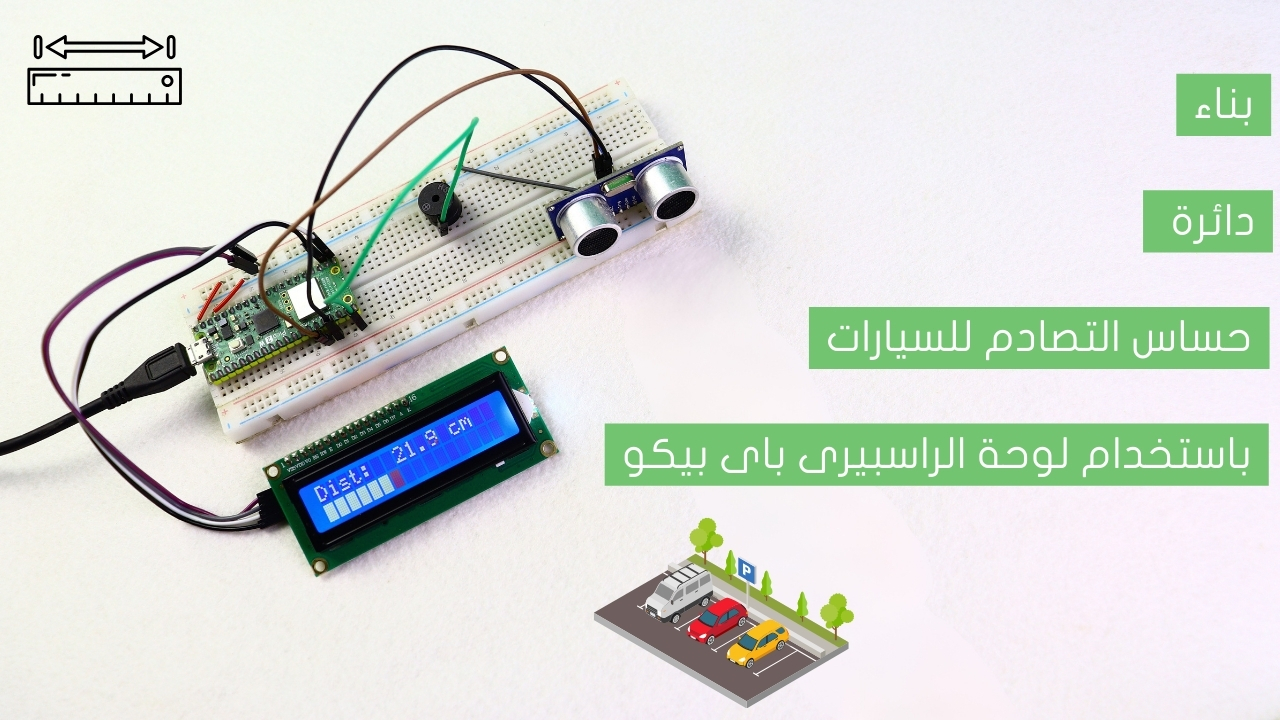
Tutorial: Building a car parking sensor circuit using a Raspberry Pi Pico board.
The function of this code is to It calculates distance using an ultrasonic sensor
and emits an alarm sound when the distance falls below a certain limit.
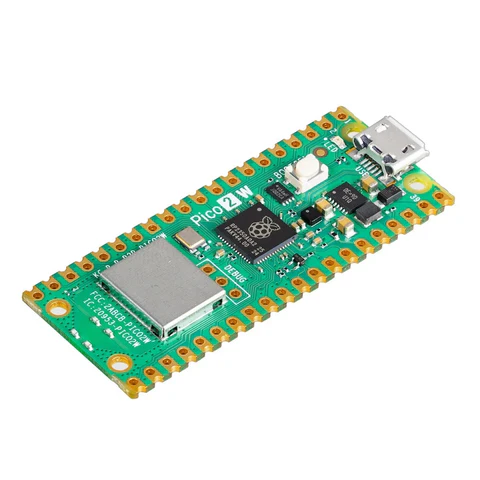
Note: You can use this sketch with any Raspberry Pi Pico.
'''
import machine
import utime
from machine import Pin, I2C
from lcd_api import LcdApi
from pico_i2c_lcd import I2cLcd
# -----------------------------
# تهيئة الشاشة LCD
# -----------------------------
I2C_ADDR = 0x27
I2C_ROWS = 2
I2C_COLS = 16
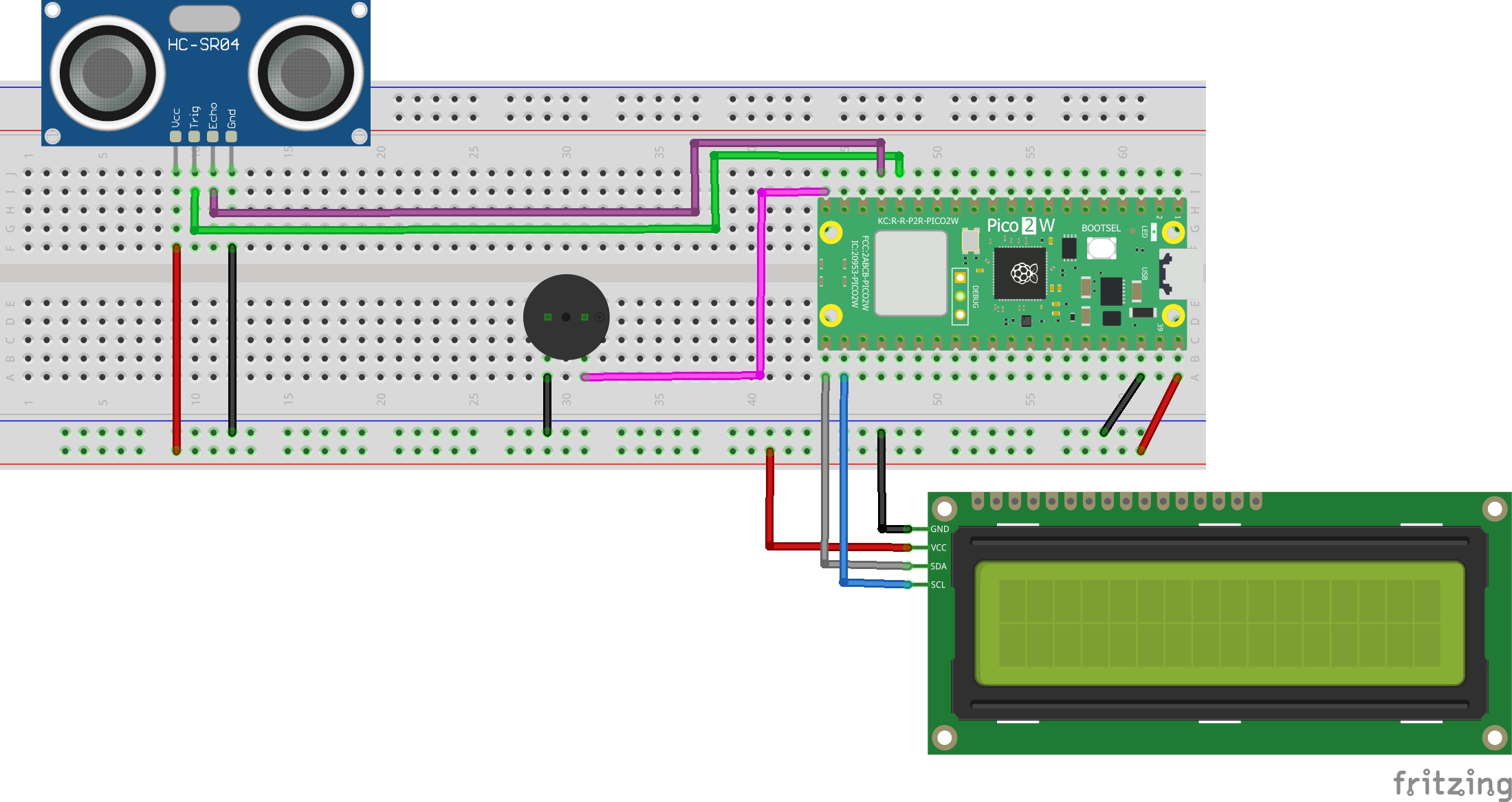
i2c = I2C(0, sda=Pin(16), scl=Pin(17), freq=400000)
lcd = I2cLcd(i2c, I2C_ADDR, I2C_ROWS, I2C_COLS)
# -----------------------------
# تهيئة المنافذ
# -----------------------------
# حساس المسافة (HC-SR04)
trig = Pin(12, Pin.OUT)
echo = Pin(13, Pin.IN)
# صفارة التحذير (Active Buzzer) - سيتم التحكم بها حسب المسافة
buzzer = Pin(15, Pin.OUT)
# لا نشغل الصفارة افتراضياً هنا
# -----------------------------
# المتغيرات
# -----------------------------
# المسافات الحدية
ALERT_DISTANCE = 50 # مسافة التحذير (سنتيمتر)
# إعدادات نبضات الصفارة الطويلة (يمكن تعديل القيم إذا رغبت)
beep_on_duration = 300 # مدة التشغيل (ميلي ثانية) - طويلة نسبياً
beep_off_min = 100 # أقل مدة إطفاء (عند أقرب مسافة)
beep_off_max = 800 # أكبر مدة إطفاء (عند أبعد مسافة ضمن التنبيه)
# حالة التصفير الزمنية
last_beep_time = utime.ticks_ms()
beep_state = False # False = OFF, True = ON
# -----------------------------
# قياس المسافة
# -----------------------------
def measure_distance():
"""قياس المسافة باستخدام حساس HC-SR04"""
# إرسال نبضة قصيرة
trig.low()
utime.sleep_us(2)
trig.high()
utime.sleep_us(10)
trig.low()
# انتظار بدء الإشارة
timeout = utime.ticks_add(utime.ticks_us(), 30000)
while echo.value() == 0:
if utime.ticks_diff(timeout, utime.ticks_us()) <= 0:
return None
start = utime.ticks_us()
# انتظار نهاية الإشارة
timeout = utime.ticks_add(utime.ticks_us(), 30000)
while echo.value() == 1:
if utime.ticks_diff(timeout, utime.ticks_us()) <= 0:
return None
end = utime.ticks_us()
# حساب المدة والمسافة
duration = utime.ticks_diff(end, start)
distance = (duration * 0.0343) / 2
# تحديد القيم الحدية
if distance is None:
return None
if distance < 2:
return 2.0
elif distance > 400:
return 400.0
else:
return float(distance)
# -----------------------------
# عرض الشاشة
# -----------------------------
def display_screen(distance):
"""عرض المسافة وشريط التقدم"""
# تنسيق عرض المسافة
if distance is None:
dist_str = "--.-"
else:
if distance >= 100:
dist_str = f"{distance:5.0f}"
elif distance >= 10:
dist_str = f"{distance:5.1f}"
else:
dist_str = f"{distance:5.2f}"
# السطر الأول: المسافة
lcd.move_to(0, 0)
lcd.putstr(f"Dist: {dist_str} cm")
# السطر الثاني: شريط التقدم
lcd.move_to(0, 1)
# حساب طول الشريط
if distance is None:
bars = 0
else:
if distance <= ALERT_DISTANCE:
# تحت حد التحذير: الشريط يتناقص مع القرب
bars = int(16 * (distance / ALERT_DISTANCE))
else:
# فوق حد التحذير: شريط ممتلئ
bars = 16
# عرض شريط التقدم
for i in range(16):
if i < bars:
lcd.putchar(chr(255)) # شريط ممتلئ
else:
lcd.putchar(chr(32)) # فراغ
# -----------------------------
# وظيفة التحكم بالصفارة (نبضات طويلة تتسارع مع الاقتراب)
# -----------------------------
def control_buzzer_long_pulses(distance):
"""
تشغيل وإيقاف البازر بنبضات طويلة.
تقل مدة الإطفاء (OFF) كلما قلت المسافة ضمن ALERT_DISTANCE.
"""
global last_beep_time, beep_state
now = utime.ticks_ms()
# إذا القراءة غير صالحة أو أبعد من حد التحذير: أطفئ البازر
if distance is None or distance > ALERT_DISTANCE:
buzzer.off()
beep_state = False
last_beep_time = now
return
# حساب مدة الإطفاء بناءً على المسافة (عند المسافة = 0 => min off، عند distance=ALERT_DISTANCE => max off)
# نستخدم interpolation خطي بين beep_off_max و beep_off_min
ratio = max(0.0, min(1.0, distance / ALERT_DISTANCE)) # من 0 (قريب جداً) إلى 1 (عند حد التحذير)
beep_off_duration = int(beep_off_min + (beep_off_max - beep_off_min) * ratio)
# تبديل حالة البازر اعتمادًا على الزمن
if beep_state:
# البازر الآن يعمل؛ نطفئه بعد مدة التشغيل
if utime.ticks_diff(now, last_beep_time) >= beep_on_duration:
buzzer.off()
beep_state = False
last_beep_time = now
else:
# البازر الآن مطفأ؛ نشغله بعد انتهاء مدة الإطفاء المحسوبة
if utime.ticks_diff(now, last_beep_time) >= beep_off_duration:
buzzer.on()
beep_state = True
last_beep_time = now
# -----------------------------
# البرنامج الرئيسي
# -----------------------------
def main():
"""الدالة الرئيسية للتشغيل"""
# تهيئة الشاشة
lcd.clear()
lcd.move_to(5, 0)
lcd.putstr("VOLTAAT")
lcd.move_to(1, 1)
lcd.putstr("Distance Meter")
utime.sleep(2)
# متغيرات لقياس المسافة المتوسطة
distance_readings = []
while True:
# قياس المسافة
current_distance = measure_distance()
# إذا كانت القراءة None، تعامل معها كقراءة غير صالحة
if current_distance is None:
# عرض شاشة معطلة مؤقتًا
display_screen(None)
# أطفئ البازر في حالة الخطأ
buzzer.off()
beep_state = False
utime.sleep_ms(200)
continue
# إضافة القراءة إلى القائمة للمتوسط المتحرك
distance_readings.append(current_distance)
if len(distance_readings) > 3:
distance_readings.pop(0)
# حساب المتوسط
if distance_readings:
avg_distance = sum(distance_readings) / len(distance_readings)
else:
avg_distance = current_distance
# عرض الشاشة
display_screen(avg_distance)
# التحكم في الصفارة باستخدام نمط النبضات الطويلة
control_buzzer_long_pulses(avg_distance)
# تأخير قصير
utime.sleep_ms(100)
# بدء التشغيل
if __name__ == "__main__":
try:
main()
except KeyboardInterrupt:
lcd.clear()
lcd.move_to(0, 0)
lcd.putstr("System Stopped")
buzzer.off() # إطفاء الصفارة عند التوقف
except Exception as e:
lcd.clear()
lcd.move_to(0, 0)
lcd.putstr("System Error")
buzzer.off()